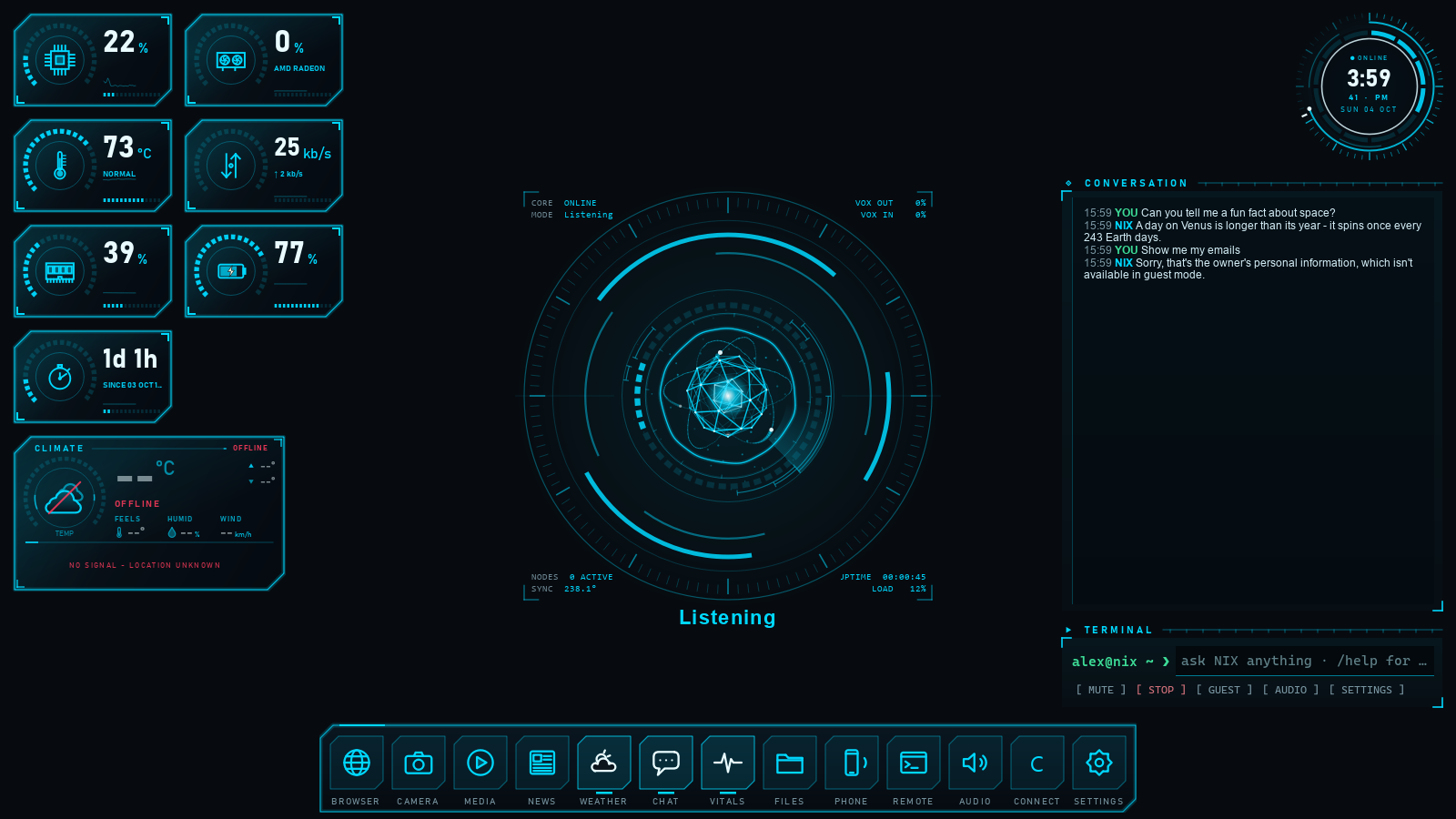
Talk to your PC and have it act: open programs, find files, control the system and answer questions, hands-free. One licence, yours for life, on one computer at a time.
Voice control for your Windows PC
A lifetime licence — no subscription
One computer at a time; move it whenever you like
Activating on a new PC moves the licence automatically
What it does
Voice control for your Windows PC
A lifetime licence — no subscription
One computer at a time; move it whenever you like
Activating on a new PC moves the licence automatically
What you are buying
A lifetime licence for one computer at a time. Paid once, never again.
The installer, from your account, whenever you need it again.
Activation that moves with you: activate a new computer and the old one is released.
Updates to N.I.X. — Networked Intelligence Executive.
About 1.6 GB for NIX (the installer download is 710 MB). The optional offline AI adds 1 to 5 GB, chosen to suit the PC.
Memory
8 GB of RAM recommended (16 GB or more for the larger offline AI)
Sound
A microphone and speakers, or a headset
Internet
Once to activate the licence. NIX’s voice runs on Google Gemini, online; without the internet NIX switches to its offline AI and does less
AI key
Your own Google Gemini API key (free from Google AI Studio)
Phone
An authenticator app (Google or Microsoft Authenticator) to sign in to NIX
Included
Everything else NIX needs comes with it - nothing more to install
Versions and changes
You download the latest full version below; once it's installed and activated, N.I.X. — Networked Intelligence Executive
updates itself - the smaller updates after each full version are fetched automatically (only the changed files),
and an Admin approves each install. There's nothing separate to download for an update.
Installed automatically on copies already running this line - no separate download.
New
NIX reads out your phone's messages and notifications. When your phone is linked, NIX announces a new message or notification as it arrives - "New message on WhatsApp from Mom" - and offers to read it out; it only reads it if you say yes. Works for WhatsApp, SMS, email and any other app. Update the
Fixed
The sign-in screen now appears before the dashboard loads. In 2.2.2 the dashboard could show behind the sign-in box; NIX now asks you to sign in on a clean screen and reveals the dashboard only once you have.
A phone call that ends is no longer left showing as "On a call" on the Phone card. NIX Link now detects the call ending reliably and re-checks the call state whenever it reconnects. (Update the NIX Link app on your phone.)
When the online voice service drops, NIX now says plainly that it's the service's side, not your internet - and it only switches to local mode after confirming your connection is actually working.
The live core now steps aside to the bottom-left (instead of the top-right) when a screen fills the centre.
In guest mode, asking for something the owner reserved (a call, a message, settings) now explains it's turned off in guest mode and how the owner can turn it off - instead of sounding like NIX can't do it at all.
Version 2.2.2
Automatic update
2026-10-08
Installed automatically on copies already running this line - no separate download.
New
Link your phone by voice. When a phone asks to pair, just say "link" - or "yes", or "approve" - to connect it, exactly as if you'd tapped Link on the card. NIX treats a phone asking to link like any other approval, so a spoken (or typed) go-ahead is enough; the card's buttons still work too.
NIX installs a ready update by itself when it starts. If a new version was already downloaded, NIX applies it at start-up and reopens on the new version, instead of waiting to be asked each time. (A waiting update can still be installed during a session from the update card.)
A brief network or server hiccup now shows as a quiet "reconnecting" status line while NIX restores the link, instead of a red "Connection lost" error. A drop that keeps coming back is still reported as an error.
Fixed
The sign-in screen at start-up now opens on a clean screen: NIX lets the start-up animation finish and its core settle first, so nothing from the previous screen shows behind the sign-in box.
The always-open dock panels (Weather, Chat and Vitals) now keep NIX's cyan icon like the rest of the dock, completing the dock-colour fix from 2.2.1 (those three stay open, so the earlier change didn't reach them).
Linking a phone: the 6-digit code shown on the phone and on the computer now match, so you can confirm a pairing by checking they're the same before you link. (Update the NIX Link app on your phone to the latest version from initcap.pro.)
Version 2.2.1
Automatic update
2026-10-07
Installed automatically on copies already running this line - no separate download.
Fixed
The dock icons (Weather, Chat, Vitals and the rest) now stay in NIX's cyan when their panel is open, instead of turning a hard-to-place near-white, so the dock reads as one set.
Version 2.2.0
Full installerDownload
2026-10-07
New
Ask NIX "what's new?" - or "what did the last update fix?" - and it tells you what the latest update brought, the same list you see on the update card and on initcap.pro. After NIX updates itself, it also offers to run you through what's new, so you don't have to ask.
Version 2.1.1
Automatic update
2026-10-07
Installed automatically on copies already running this line - no separate download.
Fixed
Ask "is there an update?" or "is NIX up to date?" and NIX now actually checks and tells you the true answer - including when a new version is already downloaded and waiting for an Admin to install. It used to sometimes say it was up to date while an update was in fact ready.
Installing an update when NIX closes no longer gets stuck on "waiting for NIX to close" and then fail. If NIX takes too long to close, the updater now closes it and finishes the update, instead of giving up.
After an update finishes, the update window closes by itself again (and its X works). It could stay on screen at 100% with a close button that did nothing.
Pop-up notice cards (like "Needs attention" and the microphone warning) now grow to fit their text, so nothing is cut off, and they don't overlap each other.
Version 2.1.0
Full installer
2026-10-07
New
Admins can restore one of NIX's backups ("restore the latest backup"), after approving it.
Problems and requests reach INITCAP: with an Admin's OK, what people ask NIX to pass on ("tell the admin...") and crash reports go to INITCAP to be fixed. Reports never include your files, conversations or names. Turn it on or off in Settings > Behaviour.
Lost your phone and every recovery code? The PC's first Admin can set up their sign-in again with the email NIX was bought with: "Lost phone and codes?" on the sign-in screen sends a code to that email.
Fixed
A brief hiccup in the voice service no longer shows a red error: NIX reconnects quietly on its own, and only says something if it keeps happening.
If a speaker is unplugged or a Bluetooth headset disconnects mid-sentence, NIX moves to another output and carries on, instead of stopping.
The "Needs attention" message at start-up always says what needs a look. It could appear with nothing in it; now every item is explained, and it doesn't appear at all when there's nothing to report.
Version 2.0.0
Full installer
2026-10-06
New
The first release on initcap.pro, with a lifetime licence that moves to whichever computer activates it.
Sign-in with an authenticator app.
One installer with everything NIX needs included - nothing else to install.
NIX updates itself: it looks for updates once a day and downloads them in the background, and an Admin installs them with one click. Updates within a version bring only the files that changed, so they're small.
The update card shows what's new and, under "What this update fixes", every fix. After an update, NIX tells you once what changed.
Fixed
The licence panel's buttons (Close, and "Continue as guest" on the "licence moved" alert) sometimes didn't close it.
An installation or update interrupted half-way (a full disk, a power cut) could leave NIX unable to start; the version you had now stays in place.
NIX Link — your phone, connected
NIX Link is the free Android companion for NIX. Once your phone and your
computer are on the same Wi-Fi, NIX can tell you who's calling, read and send your texts, reach your contacts and
show your phone's screen — all through NIX on your computer. No account; it pairs with a 6-digit code.
Ask us anything about N.I.X.
before you buy — whether it does the particular thing you need, what it needs to
run, or how the licence works. A person answers, and we will tell you if the
answer is no.