NIX Link Free
The free phone companion for NIX (Android).
Link your Android phone to NIX on your computer: who is calling, your texts, your contacts and your screen, all through NIX. Free, no account - it pairs with a 6-digit code.
 SCAN TO INSTALL
- Free — no account, no licence
- See who’s calling and your texts in NIX on your computer
- Reach your contacts and share your screen
- Pairs over your Wi-Fi with a 6-digit code
How to set it up
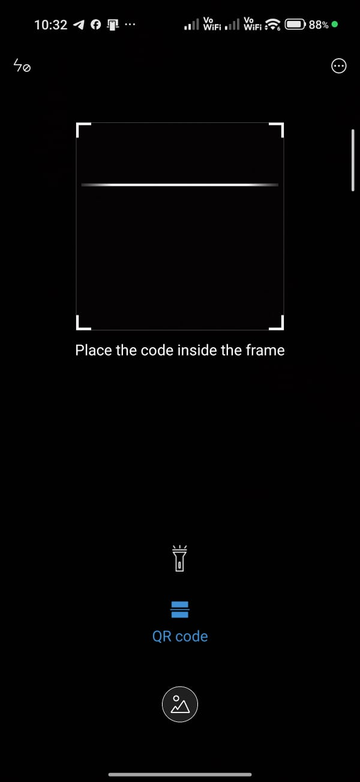
1Get the app
- Scan the QR code above with your phone, or download NIXLink.apk
- Open the downloaded file to install it
- If Play Protect warns, tap “More details” → “Install anyway”
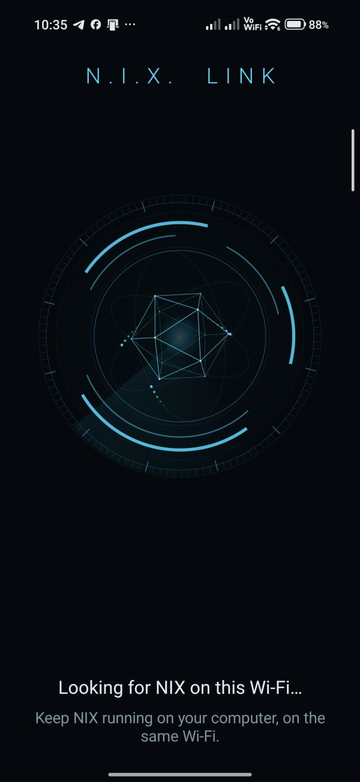
2Open NIX Link
- Put your phone and computer on the same Wi-Fi
- Keep NIX running on the computer
- NIX Link finds it by itself — “Looking for NIX…”
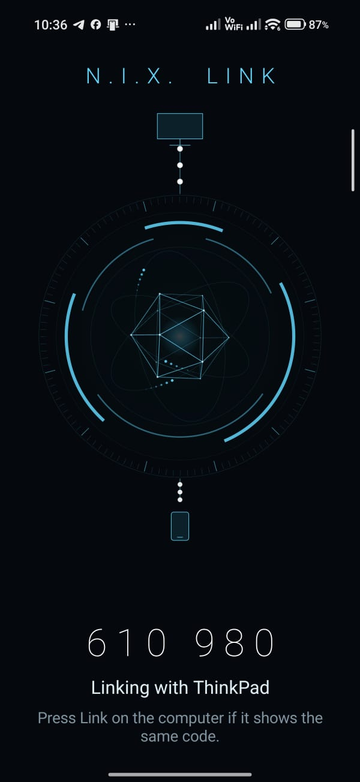
3Pair it
- NIX Link shows a 6-digit code
- On the computer, press Link — or just say “link” — when the codes match
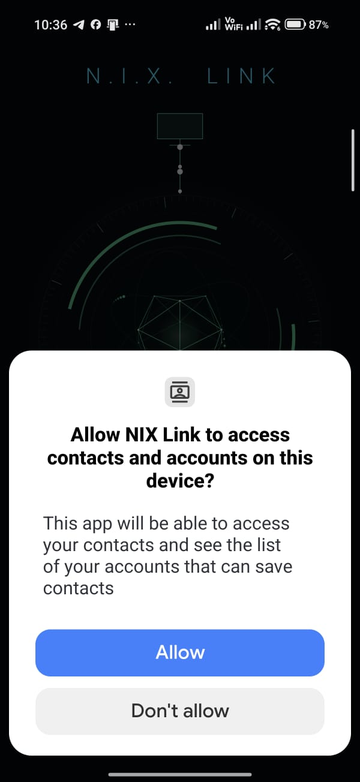
4Allow contacts
- Tap Allow when NIX Link asks for contacts
- So NIX can show names for calls and texts, and reach your people
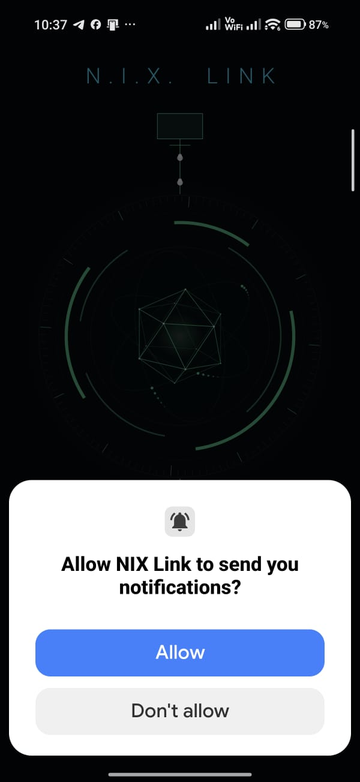
5Allow notifications
- Tap Allow for notifications
- So the phone can alert you while NIX Link runs in the background
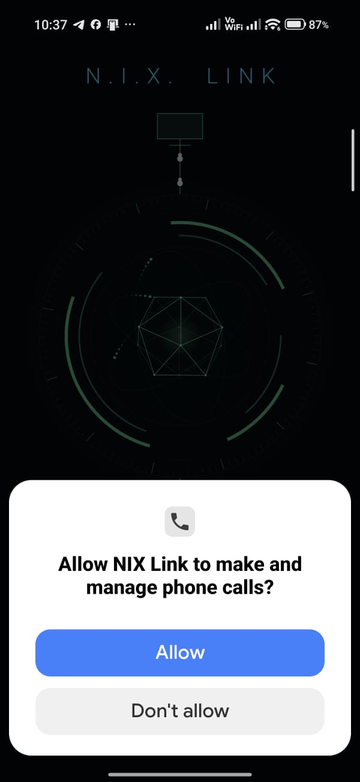
6Allow phone calls
- Tap Allow for phone calls
- So NIX can tell you who’s calling and place calls for you
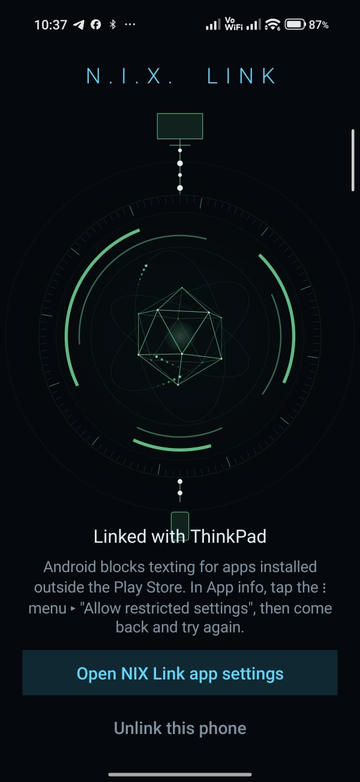
7Texts need one more step
- Android blocks texting for apps installed outside the Play Store
- On the linked screen, tap “Open NIX Link app settings”
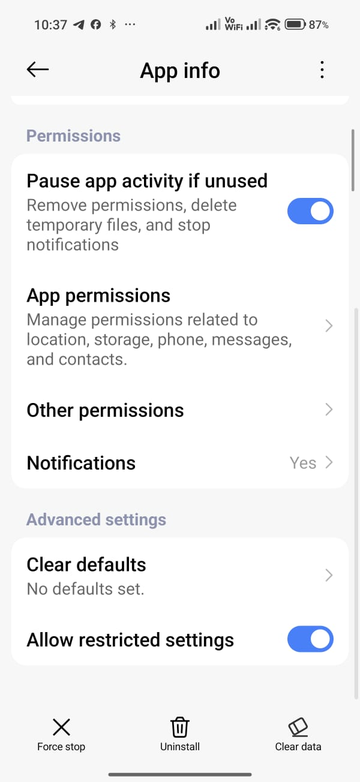
8Allow restricted settings
- In App info, scroll down and turn on Allow restricted settings
- (If you first see “denied access”, this is the switch that clears it)
- Go back to NIX Link and tap “Let NIX Link handle texts” again
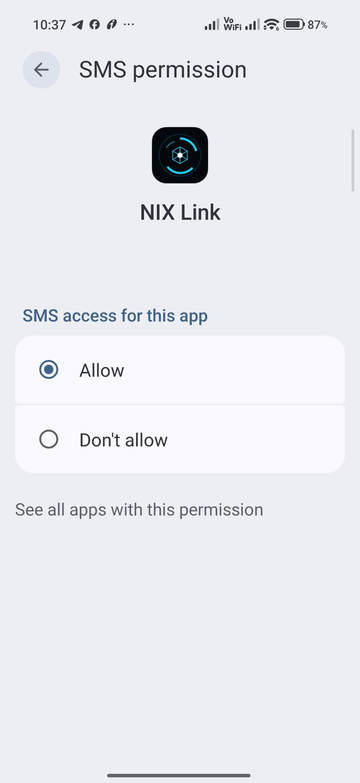
9Allow SMS
- Choose Allow for SMS access
- So your texts show up and can be read out and replied to in NIX
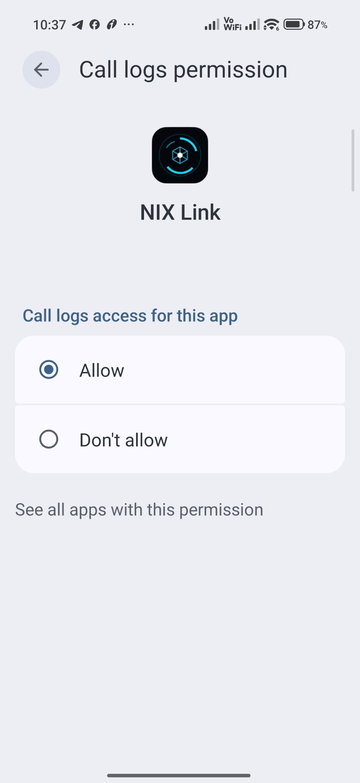
10Allow call logs
- Choose Allow for call logs
- So recent and missed calls appear in NIX
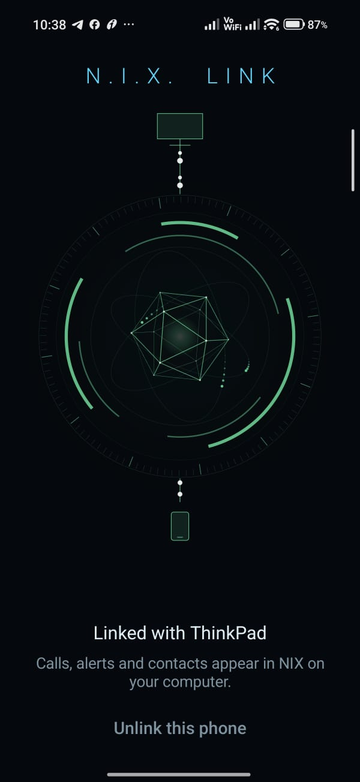
11You’re linked
- “Linked with ThinkPad” — calls, alerts and contacts now appear in NIX
- Unlink anytime from the app